
Software
Integrated development environments (IDEs)
In this note
- 4.2.5Explain the role of an IDE in writing program code and the common functions IDEs provide: code editors, run-time environment, translators, error diagnostics, auto-completion, auto-correction, prettyprint.
Before this: Programming languages and translators.
The notes: every idea from the start, with our own examples.
What you should already know
Translators
A compiler or interpreter turns high-level code into machine code.
Quick check: which translator is handy while you are still testing?
An interpreter.
What an IDE is
An integrated development environment (IDE) is a piece of software that gives a programmer, in one place, the tools needed to write, edit, translate, test and debug program code. Examples: Visual Studio Code, IDLE (Python), PyCharm, Visual Studio. Its role is to make writing correct code quicker and easier.
| Function | What it does for the programmer |
|---|---|
| Code editor | lets the programmer type and amend the program code |
| Run-time environment | lets the programmer run the program inside the IDE and see the output |
| Translator | a built-in compiler and / or interpreter converts the code into machine code |
| Error diagnostics | shows where errors are in the code (underlining, line numbers, messages) so they can be found and fixed |
| Auto-completion | as the programmer starts typing a command or identifier, the IDE suggests options to complete it |
| Auto-correction | corrects a command word with a minor misspelling automatically |
| Prettyprint | colours key words and indents the code so its structure is easy to read (syntax highlighting) |
Try it yourself
Show answer
Answer Auto-completion
Show answer
Answer Prettyprint
Show answer
Answer Run-time environment
Summary
- IDE: software with the tools to write, translate, test and debug code in one place.
- Functions: code editor · run-time environment · translator · error diagnostics · auto-completion · auto-correction · prettyprint.
If you see …
- "explain the purpose of the IDE" [4]software · write / edit code · test / debug · features like auto-completion · translate
- "give two functions and state the role of each" [4]name + what it does, from the table
Question types, what the examiner gives marks for, and real past-paper questions solved.
Ways they test it
Type 1 Name functions
"Give three other common functions of an IDE" [3]
Spot it "functions".
- Names from the syllabus list.
Type 2 Function + role
"Describe three other ways the IDE can help the programmer" [6]
Spot it "describe", "help".
- Name + what it does for the programmer, for each.
Type 3 Purpose
"Explain the purpose of the IDE" [4]
Spot it "purpose".
- Software · write · test / debug · translate · example feature.
What the examiner looks for
"Describe three other ways the IDE can help the programmer" [6]
Marking points (one mark each, up to the marks shown)
- Code editor … allows the user to enter and amend code
- Run-time environment … allows the program to be run and its outputs seen
- Error diagnostics … shows the programmer where there are errors
- Auto-completion … gives options / suggestions of key commands
- Auto-correction … corrects a command with a minor misspelling
- Prettyprint … colours the key commands so they are easy to identify
Keywords code editor run-time environment error diagnostics auto-completion auto-correction prettyprint
Too vague "it helps you code" (no named function); the translator, when the question already gave it
Past-paper questions, solved
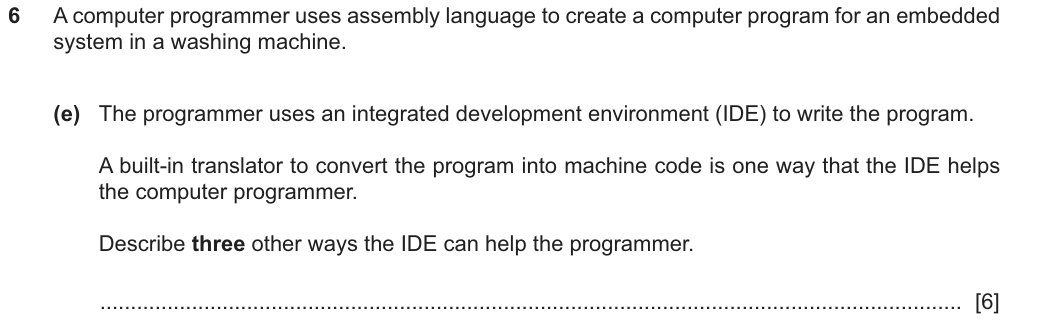
How to start The question gave the translator, so choose three other functions: name + role each.
Show a full-mark answer and the mark scheme
Error diagnostics show the programmer where the errors are in the program so they can correct them. Auto-completion gives the programmer suggestions to complete a command as they type it. Prettyprint colours the key commands so they are easy to identify.
| Part | Answer / working | Marks | Guidance |
|---|---|---|---|
| 6(e) | Six marks, max 4 for naming: code editor · run-time environment · error diagnostics · auto-completion · auto-correction · prettyprint, each with its role | B6 | |
| Total: 6 marks | |||

How to start Four separate points about what an IDE is and does.
Show a full-mark answer and the mark scheme
An IDE is a piece of software used to write and edit program code. It is used to test and debug the code, with features such as error diagnostics and auto-completion. It also translates the code into machine code.
| Part | Answer / working | Marks | Guidance |
|---|---|---|---|
| 7 | Any four: piece of software · used to write / edit code · test / debug · features such as auto-completion · translate to machine code | B4 | |
| Total: 4 marks | |||
Common mistakes
- ✗ "Auto-correct finds logic errors"✓ "Auto-correction fixes minor misspellings of command words"
- ✗ "Prettyprint prints the code"✓ "Prettyprint colours / indents the code to make it readable"
- ✗ "The IDE runs the program" as the only point✓ name several functions with their roles
Practice
Practice: easy, medium, hard
Easy
Show answer
Answer Integrated development environment
Show answer
Answer Code editor
Medium
Show answer
Answer An IDE function that shows where errors are in the code, e.g. underlines / gives the line number, so they can be fixed
Hard
Show answer
Answer Auto-correction corrects the misspelt command; auto-completion suggests the full variable name as they type
Can I do this?
Anything unticked: revise that section first. All ticked: take the quiz.
Quiz
The multiple-choice and guided questions need JavaScript. The concept checks and exam practice below work without it.
Your progress on this note is saved when JavaScript is on.
⬇️ Download this chapter as a PDF: Full notes