
Hardware
Input and output devices
In this note
- 3.2.1Understand what is meant by an input device and why it is required.
- 3.2.2Understand what is meant by an output device and why it is required.
Before this: CPU performance and embedded systems. Next: Sensors.
The notes: every idea from the start, with our own examples.
What you should already know
Input → process → output
A computer takes data in, processes it, and gives results out.
Quick check: which part does the processing?
The CPU.
Input devices
An input device captures data from the user or the surroundings and sends it to the computer to be processed. Input devices are needed because the computer can only process data it has been given, and most data starts outside the computer (a key press, a sound, a picture).
| Input device | Typical use |
|---|---|
| Keyboard | typing text and commands into a word processor or a form |
| Mouse | pointing, clicking and selecting on a desktop computer |
| Touch screen | selecting options on a smartphone, a ticket machine or a self-service checkout |
| Microphone | recording speech, voice commands to a smart speaker, video calls |
| Digital camera | taking photos and videos, video calls, scanning documents with a phone |
| Barcode scanner | reading the product code at a shop checkout or in a library |
| QR code scanner | opening a web link or a payment from a QR code (often the phone camera) |
| 2D / 3D scanner | copying a printed document (2D); copying the shape of an object for 3D printing (3D) |
| Sensor | measuring a physical quantity automatically, e.g. temperature (next note) |
Output devices
An output device receives data from the computer and presents it in a form the user can understand (a picture, sound, printout) or uses it to make something happen (an actuator moves a valve). Output devices are needed so the results of processing can be seen, heard or acted on.
| Output device | Typical use |
|---|---|
| Screen / monitor | displaying documents, games, video |
| Speaker / headphones | playing music, alarms and the sound of a video call |
| Printer (inkjet, laser) | printing documents and photos on paper |
| 3D printer | making a solid object, layer by layer, e.g. a prototype or a spare part |
| Projector | showing a presentation on a large screen in a classroom |
| LED / LCD light | an indicator light (charging, on/off), a digital display |
| Actuator | making a physical movement in a control system: opening a valve, turning a motor, switching a heater |
Try it yourself
Show answer
Answer Output
Show answer
Answer Input
Show answer
Answer Actuator
Summary
- Input device: captures data and sends it to the computer to be processed.
- Output device: receives data from the computer and presents it / makes something happen.
- Inputs: keyboard, mouse, touch screen, microphone, camera, barcode / QR scanner, 2D/3D scanner, sensor.
- Outputs: screen, speaker, printer, 3D printer, projector, LED, actuator.
If you see …
- "circle three output devices"speaker · printer · actuator (not DVD, SSD, sensor)
- "identify two input devices built into a smartphone"touch screen · microphone · camera · sensor
Question types, what the examiner gives marks for, and real past-paper questions solved.
Ways they test it
Type 1 Circle the devices
"Circle three devices that are output devices" [3]
Spot it a list.
- Cross out storage and memory first: they are distractors.
Type 2 Devices in a gadget
"Identify two input devices that can be built into the smartwatch" [2]
Spot it a device scenario.
- Choose devices that make sense for that gadget: a smartwatch has a touch screen, microphone, sensors.
Type 3 Input / output / storage
"Tick to show whether a barcode scanner is input, output, process or storage" [1]
Spot it a tick box.
- Ask: does data go IN to the computer or OUT of it?
What the examiner looks for
Output devices
- Actuator
- Printer
- Speaker
- DVD, SSD (storage)
- keyboard, microphone, mouse, scanner, sensor (input)
Remember that the actuator is an output: it moves something in response to the computer's signal.
From: 0478/12/M/J/23 Q1 mark scheme
Past-paper questions, solved
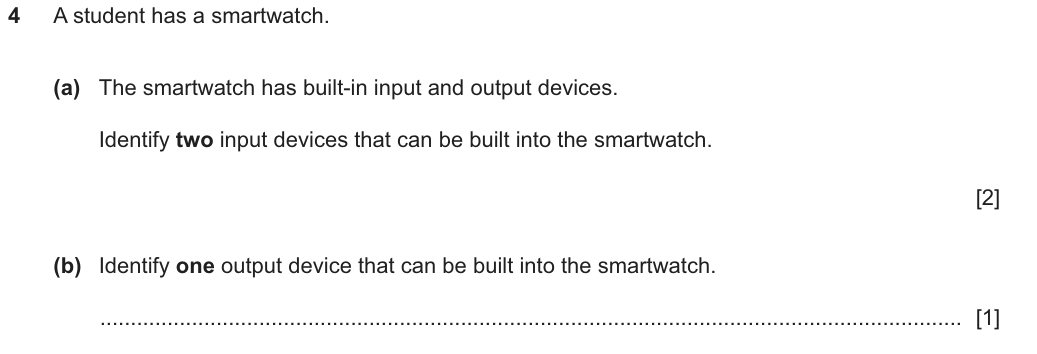
How to start Picture a smartwatch: what do you touch, speak into, and what does it show or play?
Show a full-mark answer and the mark scheme
(a) Touch screen; microphone (also accepted: button, camera, a sensor such as a heart-rate sensor).
(b) Screen (also: speaker, LED).
| Part | Answer / working | Marks | Guidance |
|---|---|---|---|
| 4(a) | Any two: touchscreen · microphone · button · camera · sensor | B2 | |
| 4(b) | Any one: screen · speaker · LED · actuator | B1 | |
| Total: 3 marks | |||
Common mistakes
- ✗ "An SSD is an output device"✓ "An SSD is secondary storage"
- ✗ "An actuator is an input"✓ "An actuator is an output: it moves something"
- ✗ "Keyboard" for a smartwatch✓ "Touch screen"Pick devices that suit the gadget.
Practice
Practice: easy, medium, hard
Easy
Show answer
Answer Output
Show answer
Answer Barcode scanner
Medium
Show answer
Answer To capture data and send it to the computer so it can be processed
Show answer
Answer Showing a presentation on a large screen to a class
Hard
Show answer
Answer It displays output (screen) and captures input when the user touches it
Can I do this?
- I can define an input device and give examples and uses.
- I can define an output device and give examples and uses.
Anything unticked: revise that section first. All ticked: take the quiz.
Quiz
The multiple-choice and guided questions need JavaScript. The concept checks and exam practice below work without it.
Your progress on this note is saved when JavaScript is on.
⬇️ Download this chapter as a PDF: Full notes