
Data Transmission
Data packets and packet switching
In this note
- 2.1.1aUnderstand that data is broken down into packets to be transmitted.
- 2.1.1bDescribe the structure of a packet: packet header (destination address, packet number, originator's address), payload, trailer.
- 2.1.1cDescribe the process of packet switching, including the role of the router.
Next: Serial, parallel and duplex.
The notes: every idea from the start, with our own examples.
What you should already know
Everything is binary
A file, an email or a web page is just a long string of bits when it is sent.
Quick check: what is a file made of when it is sent?
A long string of bits (binary).
Networks
A network is devices connected so they can share data. The internet is a huge network of networks.
Quick check: what do we call a network of networks?
The internet.
Why data is split into packets
When a file is sent across a network it is not sent in one go. It is broken down into small units called packets. Each packet is sent independently and the file is put back together at the other end.
Why? A small packet is quick to send. If one packet is lost or damaged, only that packet has to be sent again, not the whole file. And many people can share the same network, because packets from different users take turns on the cables.
The structure of a packet
Every packet has three sections: a header, a payload and a trailer.
| Section | What it holds |
|---|---|
| Header | the destination address (IP address of the receiver), the originator's address (IP address of the sender) and the packet number (so the packets can be put back in order). It can also give the size of the packet and the total number of packets. |
| Payload | the actual data being sent: one small piece of the file |
| Trailer | data that shows the end of the packet, and error checking data (e.g. a checksum value) |
Try it yourself
Show answer
Answer The header
Show answer
Answer The payload
Show answer
Answer End of packet notification / error checking data such as a checksum
Packet switching
Packet switching is the method used to send the packets across a network such as the internet. A device called a router sits at each junction of the network and decides where each packet goes next.
General methodHow packet switching works
- The data is broken down into packets.
- Each packet is given a header with the destination address and its packet number.
- Each packet is sent independently: it could take a different route across the network.
- At each router, the router reads the destination address in the header and sends the packet on towards its destination, choosing the shortest / fastest available route at that moment.
- Packets may arrive out of order (some routes are slower or busier).
- When the last packet has arrived, the packets are reordered using their packet numbers.
- If a packet is missing or corrupted, it is requested again.
| Advantages of packet switching | Disadvantages |
|---|---|
| packets can avoid busy or broken routes, so data still gets through | packets can arrive out of order and must be reordered |
| only a lost / damaged packet is resent, not the whole file | packets can be lost and need resending, which causes delay |
| many users can share the network at the same time | the receiver must wait for every packet before the file is complete |
Try it yourself
Show answer
Answer Router
Show answer
Answer Each packet can take a different route; some routes are longer or busier, so some packets take longer
Summary
- Data is broken down into packets; each packet is sent independently.
- Header: destination address, originator's address, packet number. Payload: the data. Trailer: end of packet + error checking.
- Packet switching: each packet may take a different route; routers read the destination address and send it on by the best route.
- Packets can arrive out of order; they are reordered (packet numbers) once the last one arrives; missing ones are requested again.
If you see …
- "describe the structure of a packet"three sections · header (with 2 examples) · payload (the data) · trailer (end + error check)
- "explain how packet switching works"split into packets · different routes · router · out of order · reordered · resent
- "purpose of a router"reads destination address · sends packet towards destination · chooses the route
Question types, what the examiner gives marks for, and real past-paper questions solved.
Ways they test it
Type 1 Header items
"Identify two items of data contained in a packet header" [2]
Spot it "header".
- Destination IP address · originator's (sender's) IP address · packet number. Not "the data" (that is the payload).
Type 2 Structure
"Describe the structure of a data packet" [3-6]; a labelled diagram to complete
Spot it "structure", "sections".
- Name all three sections in order AND say what each holds: one mark per name, one per example.
Type 3 Process
"Explain how the file is transmitted using packet switching" [5]; "complete and annotate the diagram" [4]
Spot it "packet switching", "routers".
- Write the method steps in order: split, different routes, router, out of order, reordered, resent.
Type 4 Router
"Give the purpose of a router in packet switching" [1]; "identify the component that …" [1]
Spot it "controls the route".
- Router: reads the destination address and sends the packet towards its destination by the best route.
Type 5 Cloze
"Complete the statements … use the terms from the list" [4]
Spot it a word list.
- Each gap uses a keyword from the notes: header, destination address, routers, last.
What the examiner looks for
"Describe the structure of a packet of data" [4]
Marking points (one mark each, up to the marks shown)
- The data packet has three sections
- It has a packet header …
- … that contains data such as the destination address
- It has a payload …
- … that contains the main data
- It has a trailer …
- … that contains data such as the error detection method used
Keywords header payload trailer destination address packet number
"Explain how the file is transmitted using packet switching" [5]
Marking points (one mark each, up to the marks shown)
- Data is broken / split / divided into packets
- Each packet (could) take a different route
- A router controls the route / path a packet takes …
- … selecting the shortest / fastest available route
- Packets may arrive out of order
- Once the last packet has arrived, packets are reordered
- If a packet is missing / corrupted, it is requested again
Keywords packets different route router out of order reordered
Packet header
- D, payload: the payload is a separate section, the data itself
- A, B or C: these three are exactly what the header holds
The header describes the packet; the payload IS the data.
From: 2210/11/M/J/25 Q4(c)(i) mark scheme
Past-paper questions, solved
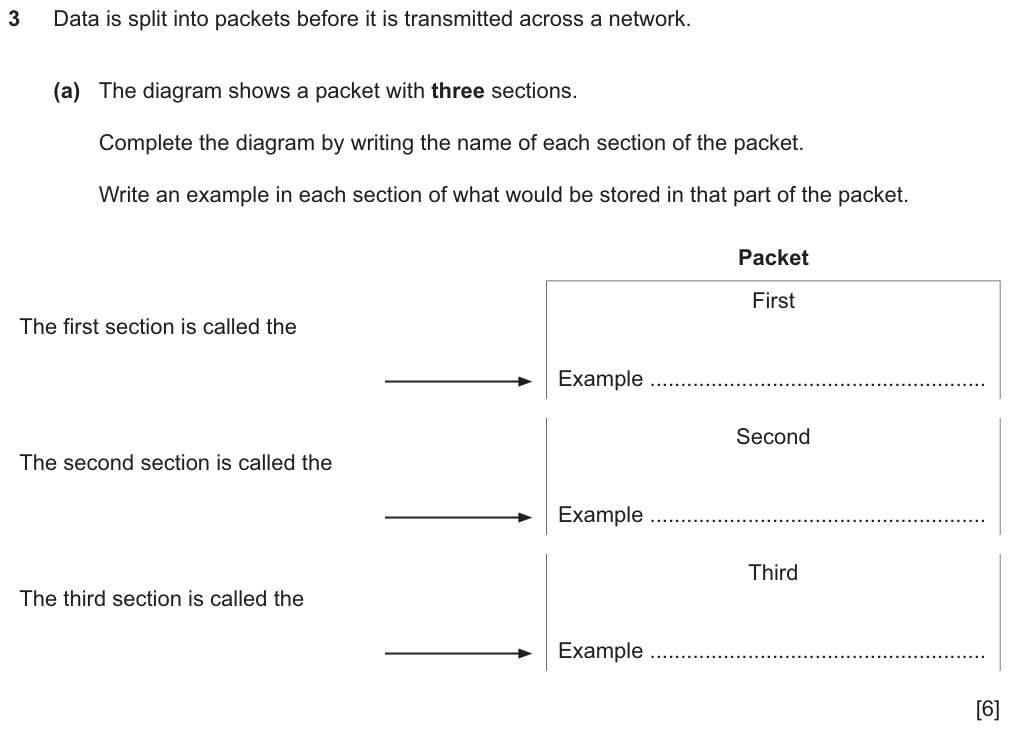
How to start Three sections, three examples: one mark each. Write them in order: first, second, third.
Show a full-mark answer and the mark scheme
First section: the header. Example: the destination IP address (or packet number, or sender's IP address).
Second section: the payload. Example: the data itself.
Third section: the trailer. Example: error checking data (or end of packet notification).
| Part | Answer / working | Marks | Guidance |
|---|---|---|---|
| 3(a) | Header · e.g. originator's / destination (IP) address, packet number | B2 | |
| Payload · the data itself | B2 | ||
| Trailer · e.g. end of packet notification, error checking data | B2 | ||
| Total: 6 marks | |||
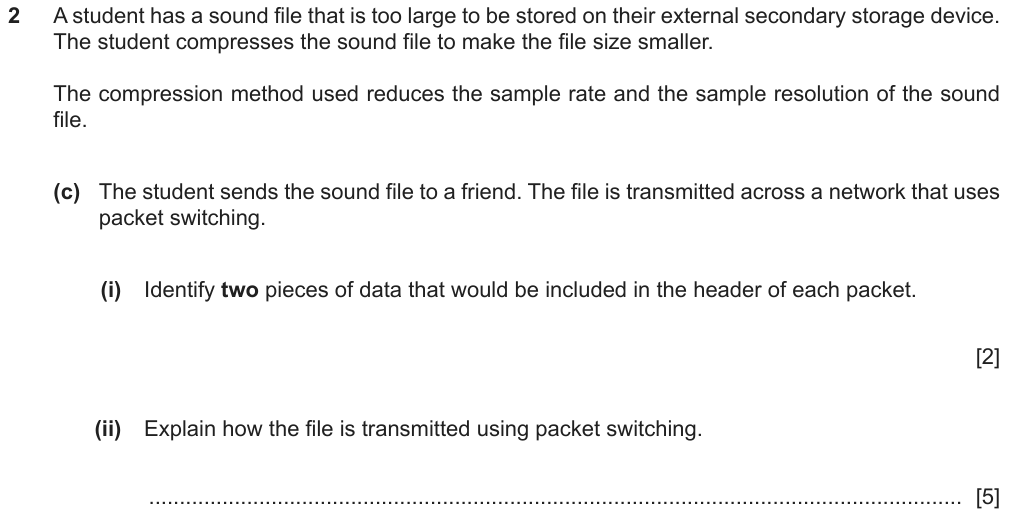
How to start (i) is two of the three header items. (ii) is the seven-step method: aim for five clear points.
Show a full-mark answer and the mark scheme
(c)(i) The destination IP address. The packet number.
(c)(ii) The file is broken down into packets. Each packet can take a different route across the network. Routers control the route each packet takes, choosing the fastest available route. The packets may arrive out of order, so once the last packet has arrived they are reordered using the packet numbers. If a packet is missing or corrupted it is requested again.
| Part | Answer / working | Marks | Guidance |
|---|---|---|---|
| 2(c)(i) | Any two: destination (IP) address · packet number · originator's (IP) address | B2 | |
| 2(c)(ii) | Any five: split into packets · different routes · router controls the route · … shortest / fastest route · may arrive out of order · reordered once the last arrives · missing / corrupted packet requested again | B5 | |
| Total: 7 marks | |||
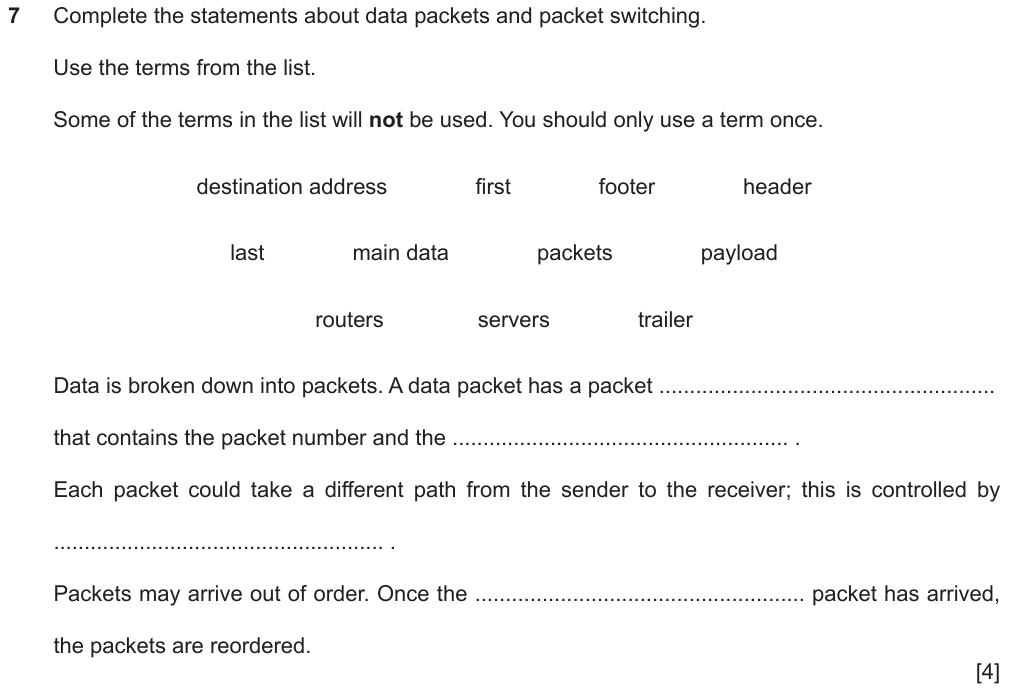
How to start Read the whole paragraph first. Each gap matches one keyword from the notes; not every word in the list is used.
Show a full-mark answer and the mark scheme
header · destination address · routers · last
(A packet has a packet header that contains the packet number and the destination address. The path is controlled by routers. When the last packet arrives, the packets are reordered.)
| Part | Answer / working | Marks | Guidance |
|---|---|---|---|
| 7 | header · destination address · routers · last, one mark each in the correct order | B4 | |
| Total: 4 marks | |||
Common mistakes
- ✗ "The header contains the data"✓ "The payload contains the data"The header only describes the packet.
- ✗ "All packets take the same route"✓ "Each packet can take a different route"
- ✗ "The router puts the packets back in order"✓ "The receiving device reorders the packets"The router only sends each packet on.
- ✗ "Address" on its own✓ "Destination IP address" or "sender's IP address"Say which address.
Practice
Practice: easy, medium, hard
Easy
Show answer
Answer Packets
Show answer
Answer Header, payload, trailer
Show answer
Answer So the packets can be put back in the correct order when they arrive
Medium
Show answer
Answer Two of: destination IP address, originator's IP address, packet number
Show answer
Answer Each packet can take a different route; some take longer, so they arrive in the wrong order
Show answer
Answer Reads the destination address in the header and sends the packet towards its destination by the best available route
Hard
Show answer
Answer Split into packets with header (destination address, packet number); each packet sent independently, may take a different route; routers read the destination address and choose the fastest route; packets arrive out of order; reordered when the last arrives; missing / corrupted packets requested again
| Part | Answer / working | Marks | Guidance |
|---|---|---|---|
| split into packets | B1 | ||
| different routes | B1 | ||
| router chooses route | B1 | ||
| out of order → reordered when last arrives | B1 | ||
| missing packets requested again | B1 | ||
| Total: 5 marks | |||
Show answer
Answer Benefit: packets avoid busy / broken routes, only lost packets resent. Drawback: packets arrive out of order / can be lost, causing delay
Can I do this?
- I can explain why data is split into packets.
- I can name the three sections of a packet and say what each holds.
- I can explain packet switching in order, including the router.
Anything unticked: revise that section first. All ticked: take the quiz.
Quiz
The multiple-choice and guided questions need JavaScript. The concept checks and exam practice below work without it.
Your progress on this note is saved when JavaScript is on.
⬇️ Download this chapter as a PDF: Full notes