
The Internet and its Uses
Locating web pages and cookies
In this note
- 5.1.5Describe how web pages are located, retrieved and displayed when a user enters a URL: the role of the web browser, IP addresses, the domain name server (DNS), the web server and HTML.
- 5.1.6Explain what is meant by cookies and how they are used, including session and persistent cookies.
Before this: The internet, the web and browsers. Next: Digital currency and blockchain.
The notes: every idea from the start, with our own examples.
What you should already know
URLs and IP addresses
People type URLs; computers find each other by IP address.
Quick check: what has to happen before the browser can contact the web server?
The URL must be turned into the server's IP address.
From URL to web page
A domain name server (DNS) is a server that stores a database of URLs (domain names) and their matching IP addresses. A web server is a server that stores web pages and sends them to clients that request them.
General methodHow a web page is located, retrieved and displayed
- The user enters the URL into the address bar of the web browser.
- The browser sends the URL to a DNS.
- The DNS searches its database for the matching IP address. If it cannot find it, the URL is sent to the next DNS until it is found.
- The DNS returns the IP address to the web browser.
- The browser sends a request to the web server at that IP address.
- The web server sends the web page data, the HTML files, back to the browser.
- The browser renders the HTML and displays the web page.
Cookies
A cookie is a small text file that is sent between a web server and a web browser and stored by the browser. It lets a website remember information about the user.
| Session cookie | Persistent cookie |
|---|---|
| temporary: stored in memory (RAM), not in secondary storage | permanent: stored on the user's secondary storage |
| deleted when the browser is closed | kept when the browser is closed, until it expires or the user deletes it |
| e.g. holding items in a shopping cart during one visit | e.g. staying logged in; remembering preferences for next time |
| Uses of cookies | |
|---|---|
| saving personal details | name, address filled in for you |
| tracking user preferences | language, dark mode, items you looked at (targeted adverts) |
| holding items in an online shopping cart | the basket keeps its contents as you browse |
| storing login details | you stay logged in |
Try it yourself
Show answer
Answer DNS (domain name server)
Show answer
Answer Session cookie
Show answer
Answer HTML (the web page data)
Summary
- URL → DNS → IP address back → request to the web server's IP → HTML back → browser renders it.
- If a DNS can't find the URL, it passes it to another DNS.
- Cookie: small text file, sent between server and browser, stored by the browser.
- Session: in RAM, lost when the browser closes. Persistent: on secondary storage, until it expires / is deleted.
- Uses: personal details, preferences, shopping cart, login details.
If you see …
- "describe how the web pages are located, retrieved and displayed" [6]browser · URL to DNS · IP returned · request to web server · HTML sent · rendered
- "explain the difference between session and persistent cookies"RAM … whereas secondary storage · lost on close … whereas kept until expiry
Question types, what the examiner gives marks for, and real past-paper questions solved.
Ways they test it
Type 1 Describe / draw
"Draw and annotate a diagram to show the process from entering the URL to displaying the page" [5]; "describe how the web pages are located, retrieved and displayed" [6]
Spot it "located", "diagram".
- Boxes: browser, DNS, web server. Number the arrows and say what travels along each.
Type 2 Role of the DNS
"Describe the role of the DNS" [2]
Spot it "DNS".
- database of URLs + IPs · finds the IP · next DNS · returns it
Type 3 Cookie cloze
"Cookies are small … files that are sent between a … and a …" [6-7]
Spot it a word list.
- Use the two tables.
Type 4 Cookie uses / difference
"Give three functions of a cookie" [3]; "explain the difference between session and persistent cookies" [4]
Spot it "cookie".
- Comparisons need both sides.
What the examiner looks for
Diagram from entering the URL to displaying the page [5]
Marking points (one mark each, up to the marks shown)
- URL sent from the browser to the DNS
- DNS stores a database of URLs and IPs // finds the IP for the URL
- If not found, sent to the next / a higher DNS
- DNS sends the IP address to the browser
- Browser sends a request to the IP address of the web server
- Web server processes the request; web page (HTML) data sent to the browser
- Browser renders the HTML
Keywords DNS IP address web server request HTML render
Past-paper questions, solved
How to start Session = memory, lost when closed; persistent = kept.
Show a full-mark answer and the mark scheme
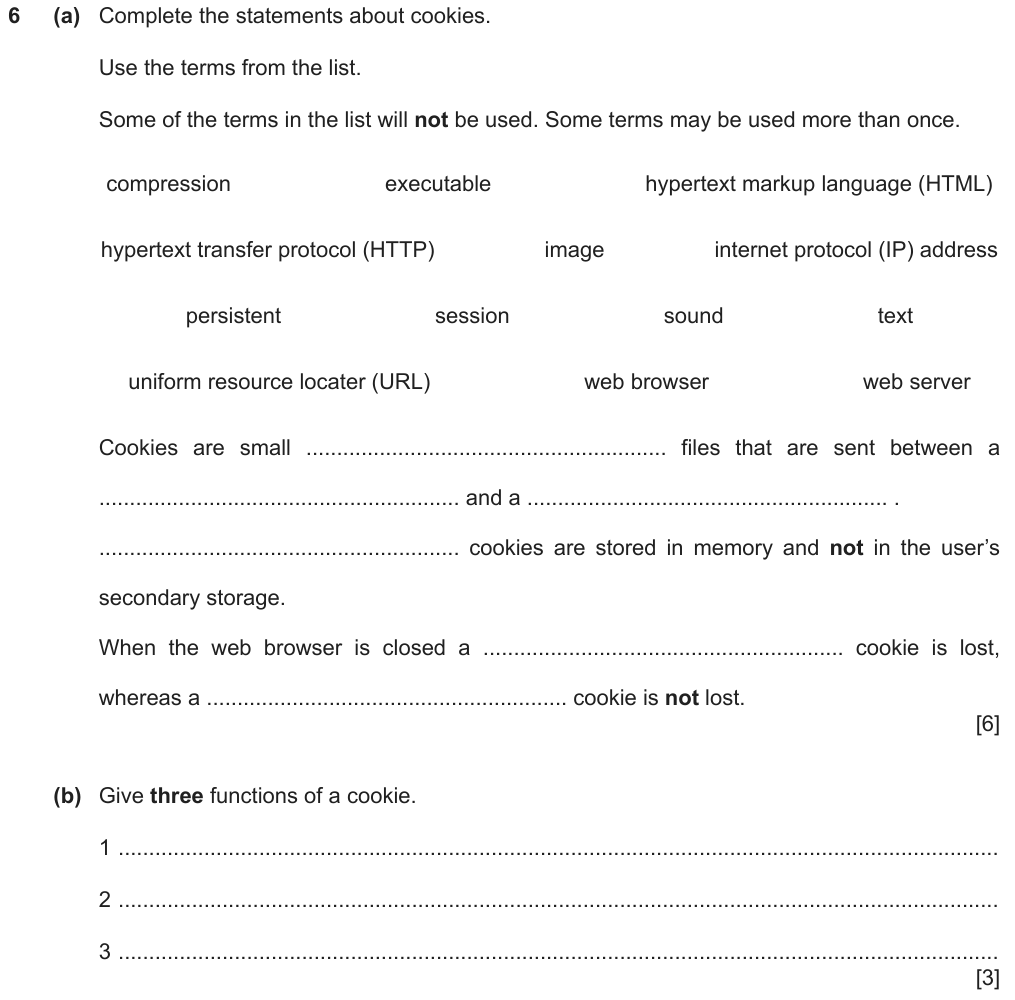
(a) Cookies are small text files that are sent between a web browser and a web server. Session cookies are stored in memory and not in the user's secondary storage. When the web browser is closed a session cookie is lost, whereas a persistent cookie is not lost.
(b) Saving personal details; storing login details; holding items in an online shopping cart.
| Part | Answer / working | Marks | Guidance |
|---|---|---|---|
| 6(a) | text · web browser · web server (either order) · session · session · persistent | B6 | |
| 6(b) | Any three: personal details · login details · user preferences · shopping cart | B3 | |
| Total: 9 marks | |||
How to start Six marks: follow the seven-step method from the browser to the rendered page.
Show a full-mark answer and the mark scheme
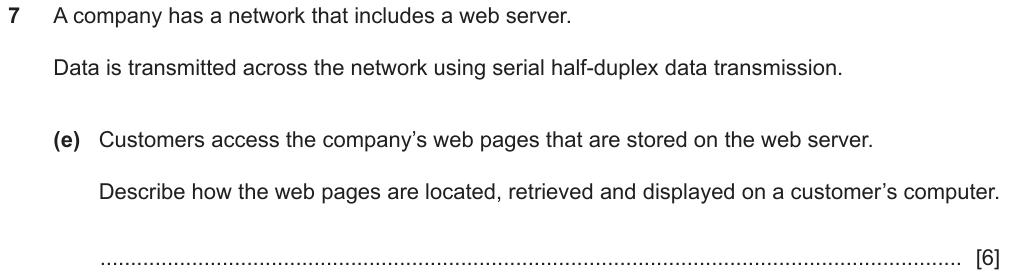
The customer types the URL into the web browser, which sends it to a DNS. The DNS searches its database for the matching IP address (passing the URL to another DNS if it cannot find it) and returns the IP address to the browser. The browser sends a request to the web server at that IP address. The web server sends the HTML for the web page back, and the browser renders the HTML to display the page.
| Part | Answer / working | Marks | Guidance |
|---|---|---|---|
| 7(e) | Any six: URL into browser · sent to DNS · DNS finds matching IP · next DNS if not found · IP returned · request to web server · HTML sent back · browser renders HTML | B6 | |
| Total: 6 marks | |||
How to start Four marks: two differences, each stated for both types.
Show a full-mark answer and the mark scheme
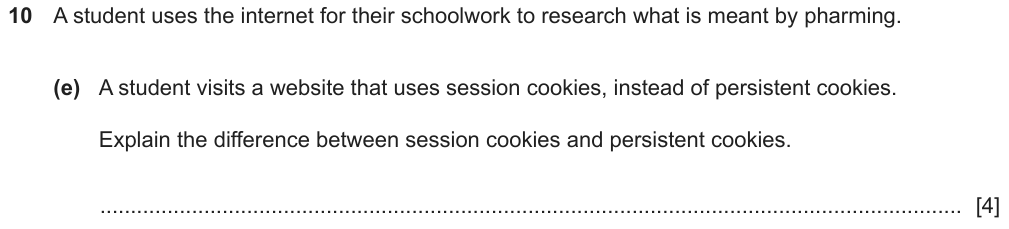
Session cookies are stored in memory (RAM), whereas persistent cookies are stored on secondary storage. When the browser is closed a session cookie is lost, whereas a persistent cookie is kept until it expires or the user deletes it.
| Part | Answer / working | Marks | Guidance |
|---|---|---|---|
| 10(e) | Any four: session in RAM … persistent on secondary storage · session lost when browser closed … persistent not lost … until deleted / expires | B4 | |
| Total: 4 marks | |||
Common mistakes
- ✗ "The DNS sends the web page"✓ "The DNS sends the IP address; the web server sends the web page"
- ✗ "Cookies are programs / viruses"✓ "Cookies are small text files"
- ✗ "Session cookies are stored on the hard drive"✓ "Session cookies are stored in RAM"
Practice
Practice: easy, medium, hard
Easy
Show answer
Answer Web server
Show answer
Answer Secondary storage
Medium
Show answer
Answer Stores a database of URLs and matching IP addresses; finds the IP for a URL and returns it to the browser
Show answer
Answer e.g. storing login details; holding items in a shopping cart
Hard
Show answer
Answer Session cookie: stored in RAM and deleted when the browser was closed
Can I do this?
- I can describe how a web page is located, retrieved and displayed.
- I can explain cookies, session vs persistent, and their uses.
Anything unticked: revise that section first. All ticked: take the quiz.
Quiz
The multiple-choice and guided questions need JavaScript. The concept checks and exam practice below work without it.
Your progress on this note is saved when JavaScript is on.
⬇️ Download this chapter as a PDF: Full notes